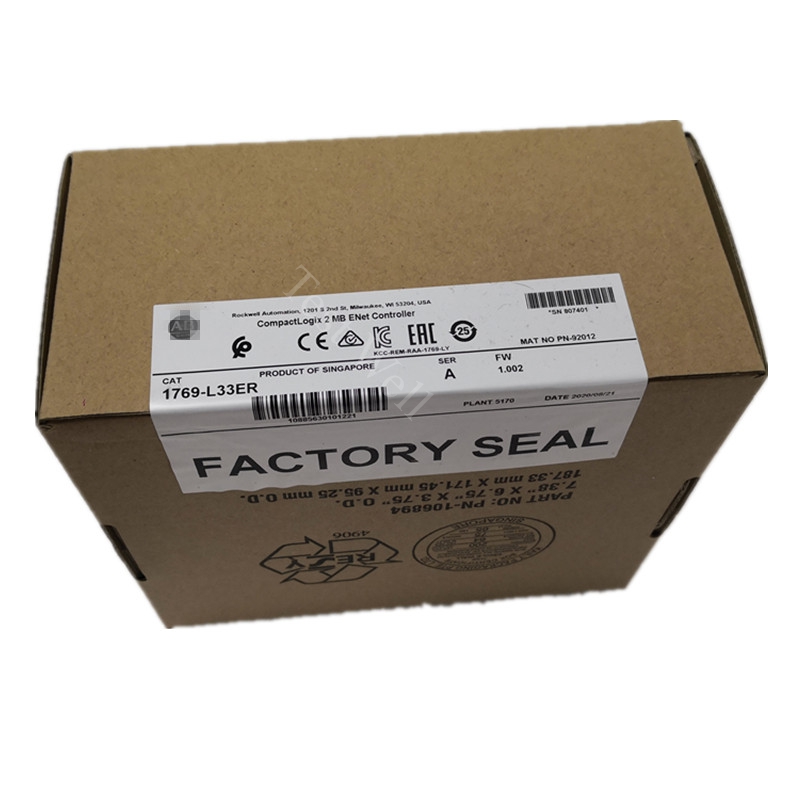
The Allen-Bradley MicroLogix 1100 and 1400 still run thousands of packaging lines, water stations and material-handling systems, and when one stops, it leaves a clue. A major fault latches the Major Error Halted bit S:1/13, drops all outputs, flashes the red FAULT LED, and stores a four-digit hex code in S:6. If your controller is beyond repair, our Allen-Bradley PLC department stocks tested replacements, including the widely ordered 1762-L24BXB MicroLogix controller. This guide shows how to read the code.
Never clear a fault before reading it. Three methods, fastest first:
- LCD keypad (1100/1400 only). Press ESC, scroll to Advanced Set, OK, choose Fault Code, OK. The display shows the hex code; 0000h means no fault. The LCD never jumps there by itself, so the flashing FAULT LED is your cue to look.
- RSLogix 500 / RSLogix Micro online. Set the data table radix to hex and read S:6; the Processor Status Errors tab shows the same code with a description.
- Status LEDs. FAULT flashing red = application fault with a code stored. FAULT solid red = controller hardware fault. RUN, FORCE and FAULT all flashing = operating system missing or corrupt; only a ControlFLASH OS reload fixes that.
Write the code down with what the machine was doing. MicroLogix codes are hexadecimal, so 0022h is not "twenty-two".
The reference manuals (1763-RM001 for the 1100, 1766-RM001 for the 1400) sort every code into three classes. Recoverable faults are program-caused; a user fault routine named in S:29 can fix the condition and clear S:1/13. Non-recoverable faults still run the fault routine (for example, to send a message to another device), but it cannot clear them. Non-user faults are hardware, memory or configuration problems: the ladder stops, the fault routine never runs, and you must fix the hardware before restarting.
Fault manifestations: controller powers up faulted, the stored program is gone and a default program was loaded instead.
Root causes: the RAM backup failed, usually a dead or disconnected backup battery.
Repair steps: replace the backup battery (the 1100/1400 use the same 1747-BA cell as the SLC family; a fresh one is a $13.99 item in our 1747-BA battery listing), then reload the program from your backup or the memory module. If 0001h repeats with a new battery, suspect the controller.
Fault manifestations: the controller restarts by itself mid-shift with no operator action.
Root causes: electrical noise or a supply dip triggering a hardware watchdog reset; sometimes a failing supply or poor grounding.
Repair steps: verify the panel ground, add surge suppression on inductive loads, check the 24 V supply under load, and reload the program if a default was loaded. If it recurs after those fixes, suspect the controller.
Fault manifestations: power-up faults that persist with a fresh battery; the code points at the removable memory module.
Root causes: a corrupted or failing memory module, or an interrupted transfer.
Repair steps: rewrite the program to the module from a known-good file. If the error returns, replace the module.
Fault manifestations: a hard stop with no obvious program cause.
Root causes: a fatal internal error in the operating system or hardware, often noise-related.
Repair steps: power cycle, reload the program and data, then re-check grounding and surge suppression. If it returns on a clean supply, replace the controller. Firmware 21.007+ on the 1400 can auto-restart after these codes if Auto Reset S:36/1 is enabled, but it returns to Program mode with initial data.
Fault manifestations: after a power cut the controller refuses to enter Run even though nothing else is wrong.
Root causes: Startup Protection bit S:1/9 is set, so it faults at power-up and waits for a deliberate decision.
Repair steps: if protection is not wanted, clear S:1/9 and return to Run. If it is wanted, use the fault routine to verify a safe restart before clearing S:1/13. Never defeat it where unexpected motion is dangerous.
Fault manifestations: the fault appears after swapping memory modules or replacing a controller.
Root causes: the NVRAM program does not match the memory module and the "must match" comparison is enabled.
Repair steps: confirm the module belongs to that machine, transfer the module program to the controller, or disable the compare if the controller copy is authoritative.
Fault manifestations: the controller stops on the first scan where a math instruction overflowed.
Root causes: a minor error bit in S:5 (usually the overflow trap S:5/0, sometimes control-register error S:5/2) was still set at scan end.
Repair steps: find the instruction that set the bit, fix the math (range-check scaling, guard DIV and DDV against zero), or unlatch it with an OTU before the END if the overflow is expected and harmless. This is the most common MicroLogix fault in the field.
Fault manifestations: FAULT flashes during a scan that suddenly gets longer, typically at a specific machine step.
Root causes: a program loop that never exits; the scan exceeded the limit in S:3.
Repair steps: find and fix the loop. Only raise the watchdog in S:3 when the long scan is real and understood — a stuck loop trips any setting.
Fault manifestations: the fault follows a changing index value, often when a recipe counter runs past its data file.
Root causes: an indirect address pointed outside the data files.
Repair steps: range-check the pointer with a LIM before it is used as an address, correct the file lengths, then reload and test.
Fault manifestations: a timer rung faults when a recipe entry loads a negative value into a preset or accumulator.
Root causes: a sign error in recipe data, or a calculation that can go negative.
Repair steps: correct the value, then add a LIM guard so only 0 to the largest sensible value can reach the timer word.
Fault manifestations: the 1400 built-in analog inputs fail self-test.
Root causes: internal hardware fault, often aggravated by noise or poor grounding.
Repair steps: power cycle and check the ground system. If it persists, replace the controller — the embedded analog channels are not field-repairable.
Fault manifestations: the leading digits are the expansion module number, so 0271h means module 2. The controller faults at Run entry or during operation.
Root causes: xx71h is a hardware communication error on the expansion bus; xx79h means the module reports an error (read its I/O status file); xx87h means the configured I/O does not match the hardware.
Repair steps: power down, reseat the ribbon cables and module, then power up. Fix the I/O configuration to match the hardware for xx87h. Replace the module if xx71h or xx79h returns.
Three minor error bits warn without stopping: the overflow trap S:5/0, the control-register error S:5/2, and the battery-low warning S:5/11, shown as BAT.LO on the LCD. A dead battery does not stop the controller today — it becomes a 0001h and a lost program after the next power cut. Treat BAT.LO as urgent.
- Keep a current program backup and a memory module copy in the panel.
- Replace backup batteries every 3–5 years instead of waiting for BAT.LO.
- Check grounding and surge suppression on inductive loads whenever 0002h or 0008h/0009h appears.
- Add LIM guards around recipe values that reach a timer, counter or pointer.
- After a controller swap, match the program and I/O configuration to the exact catalog number and firmware before entering Run.
Q: Can I just power-cycle to clear the fault?
Only if Fault Override at Power-Up bit S:1/8 is set; otherwise it powers up still faulted. If the cause is still present, it faults again either way. Fix the cause, then clear S:1/13 and S:6. Codes FF00–FF0F are user-defined: the program stopped itself deliberately.
Q: How do I clear the fault from the front panel?
There is no direct "clear" key. Cycle the LCD mode between PROG and RUN after fixing the cause, or clear S:1/13 online. Clearing in RUN restarts the program immediately, so make sure the machine area is safe first.
Q: Where do I get replacement parts?
Test Well Electronics supplies tested MicroLogix and CompactLogix hardware. Beyond the 1762-L24BXB and the 1747-BA battery linked above, the 1764-28BXB MicroLogix 1500 controller and a range of I/O modules are in stock.